Airline Web Accessibility – Part 4: Ethiopian Airlines
11 July 2016 - Ed Chandler

Ethiopian Airlines

With our first two airline reviews done, it’s time to turn to Africa and Ethiopian Airlines.
Route searched: Washington (IAD) to Addis Ababa (ADD)
General Experience
Its clear that Ethiopian Airlines have been busy implementing accessibility features on the site. ARIA landmarks are used on the homepage, fieldsets have meaningful legends and most form fields have been labelled correctly.
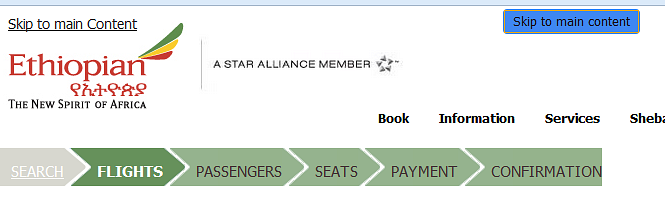
It is good practice to provide “skip to main content” links to allow keyboard users to avoid navigating through menus every time they land on a new page, but like Delta, Ethiopian overused this functionality. The homepage had several skip to links, and during the booking process we even came across an additional “skip to main content” link which looked somewhat out of place. We would recommend getting rid of the one with the blue background for this reason.
Within the main menu Ethiopian have implemented features to enable keyboard users to interact with the main menu, including instructions to screenreader users; however, in practice these did not work which was a little disappointing.

Generally there is a a good visible focus however this does fall down in places which can be a little frustrating.
Booking experience
The “search for flight” forms have been implemented well. The calendar is accessible from the keyboard, however we encountered a little problem in that the screenreader didn’t announce the dates when using the left and right arrow.
On the search results page, the fare selection radio buttons are associated with the flight details in terms of the fare type and price but not associated with the departure and arrival time (neither is the flight number). As there is only one flight to choose from, this is not a massive problem but does mean that the screenreader user has to interegate the information in more detail to understand the flight properly.
After selecting the outbound flight, screenreader users need to navigate by headings or use the down arrow to perceive that information further down the page relates to the return flight. Having already come across links related to baggage the fact that these are seen again without understanding the wider context may confuse some users.
When selecting flights, sighted users can see their selections build up using the summary section on the right hand side. Updates aren’t announced, and keyboard users have to navigate past the “continue” button to get to this section – which includes the price. The same happens after selecting both flights, but this time it is the total cost which is not announced to users.
The seat map is a little confusing as the users do not get told that they will only be able to select seats that are available. In addition, the rows and columns get in the way of understanding the column labels (e.g. A-L) and row labels (e.g. 11-15). A short introduction and description would have helped.
Going through the remaining parts of the booking flow, we found that most things work as expected, but throughout the process, there are a number of places where the greater context (which is visible on screen) is not communicated to screen reader users. Examples we found:
- In the flight summary section, the “view details” links are not meaningful enough as they are not programmatically associated with specific flights.
- The age ranges for passenger drop downs (e.g., adults: 12+ years old) are not announced.
- A link labelled “Click here” link rather than describing where it would take users (in this case the mileage level you will earn).
- “Learn more” links associated with the TSA Secure Flight Programme are not programmatically associated with that content.
Summary
We can see that considerable effort has gone into the accessibility of the site and there are a lot of good features being implemented. However, based on this review the site would fail an audit. The team could use further support and advice to get them over the line and deliver the DOT requirements.
Final score: 3/5
Check out our other mini reviews on:
You might also be interested in...
User Vision Joins the New DOS 7 Framework - Making Public Sector UX Procurement Simpler
1 April 2026User Vision has secured a place on the Government Commercial Agency (previously CCS) new Digital Outcomes and Specialists 7 (DOS 7) framework - making it faster and simpler than ever for public sector organisations to access specialist user research, accessibility, and user-centred design services.
Read the article: User Vision Joins the New DOS 7 Framework - Making Public Sector UX Procurement SimplerUnderstanding Accessibility Drift - And How to Prevent It
12 February 2026Why accessibility standards erode after audits, and what continuous monitoring can do about it.
Read the article: Understanding Accessibility Drift - And How to Prevent ItAccessibility Toolkit - Access360 Managed Service
5 January 2026Continuous WCAG monitoring, expert audits, and capability building to maintain sustainable digital accessibility .
Read the article: Accessibility Toolkit - Access360 Managed Service