Site down time killing your user experience?
25 September 2015 - Amy McInnes
At some point or another all websites have to perform maintenance of some kind. Maybe there’s a problem on the site needing fixed or improvements to the user experience to be made, and in many cases, maintenance unavoidably requires taking your site offline temporarily. But how does down time affect the user?
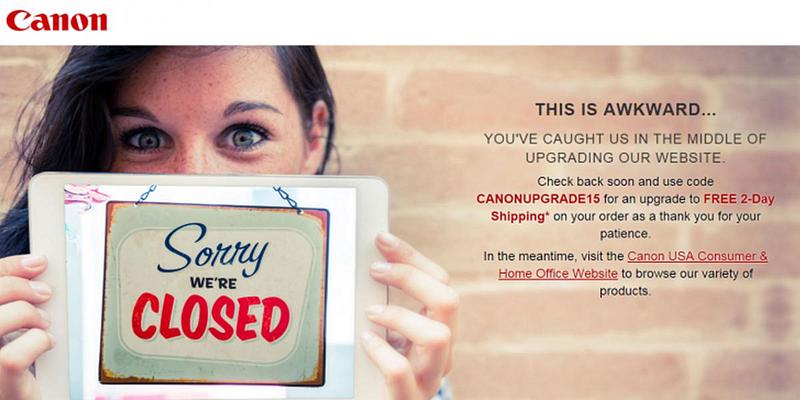
Such was the situation this week when I was looking for a specific photo printer from Canon’s website and I was faced with the inevitable holding page of doom.
In the case of Canon, I was initially frustrated. Frustrated I couldn’t quickly browse for the printer in question in my spare 5 minutes. However, kudos to Canon on this occasion for their approach to addressing the issue and keeping the user engaged:
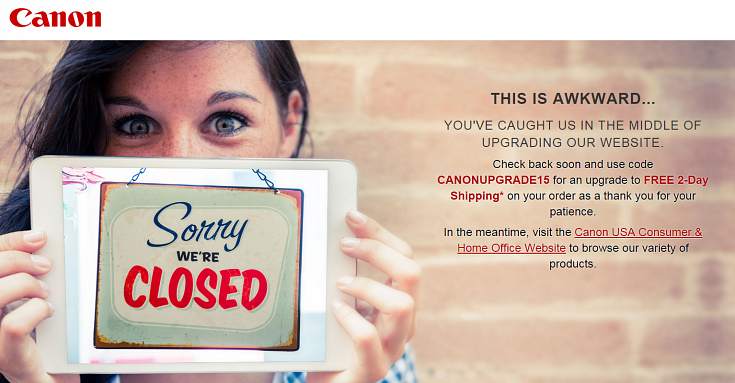
My initial frustration was dulled by the friendly copy tone, openly admitting the issue and cause (always keep the user informed). Then I was pleasantly surprised at the hook to come back, using the principle of reciprocity to incentivise the user: ‘free two day shipping as a thank you for your patience’. This now not-as-frustrated user has a reason to come back to them over the competition.
Canon have managed to somewhat alleviate a potentially frustrating situation. We often stumble across many other holding pages that risk ruining the customer experience and driving even loyal custom elsewhere.
So what should you do if your site has to be down for maintenance? Important points to take from Canon’s example are:
- Build a custom maintenance page – avoid the use of generic 404 pages.
- Be descriptive – these pages are only temporary so let the user know that. Tell them this is a temporary page and indicate how long the site will be down for.
- Keep it simple – short and to the point. Don’t make users work too hard to figure out what’s going on.
- Address the issue, that this is inconvenient to your users – make users see that you understand this is a pain and you are doing all you can to speed things up.
- Keep things light hearted – humour in such situations goes a long way to improving a user’s perception of the site.
- Stay on brand – reassure users this is an official action by ensuring that the look and feel of the maintenance page is still the same as the rest of the site, e.g., provide the company logo and use the same colour scheme.
- Provide alternative content or reasons to return – money-off codes or links to related content will keep your users happy and away from the competition.
- Provide a contact – where possible provide a contact address or phone number and address any issues of concern.
Take the time to think about holding pages and always think about the user.
You might also be interested in...
Are AI Evaluation Principles Really New?
10 September 2026AI behaves differently from traditional software, but does it need new UX evaluation principles? Largely not. Nielsen's usability heuristics still apply, with trust, transparency and explainability the main additions.
Read the article: Are AI Evaluation Principles Really New?The Unintended Consequences of Making Things Easier
7 September 2026AI scribes save GPs time, but University of Edinburgh research suggests other things change too. Three lessons on behaviour, trust and effort for anyone introducing AI into a service people rely on.
Read the article: The Unintended Consequences of Making Things EasierBanned by the Algorithm: Why "Appeal Later" Isn't Trustworthy AI
20 August 2026Vinted’s automated account bans may be intended to protect users, but when decisions are opaque, explanations are vague and appeals come only after the damage is done, the problem is more than technical. This article explores why AI-driven enforcement is fundamentally a process design issue—and what platforms can do to make automated decisions more transparent, fair and trustworthy.
Read the article: Banned by the Algorithm: Why "Appeal Later" Isn't Trustworthy AI